Showing posts with label mod. Show all posts
Showing posts with label mod. Show all posts
Monday, March 13, 2017
Cara memakai MOD dragon nest
Cara memakai MOD dragon nest

Bermain game dragon nest kurang lengkap kalau tidak ada MOD pada karakter pemainnya. Jadi buat anda para gamers dragon nest yang ingin merubah karakter dari pemain-pemain anda,wajib baca artikel ini ya.

APA ITU MODS ?
Mods adalah memodifikasi tampilan character kita misal job cleric yang notabene memakai tongkat dan perisai bisa kita modifikasi pake pedang panjang,atau membuat kostum sesuai keinginan kita.
Seperti contoh pada karakter cleric ini :

itu adalah karakter cleric.sekarang saya tunjukan cara menggunakannya:
pertama download dulu modsnya gak sampe 1 mb ukurannya.
sesuaikan dengan job,equip(normal/magic/rare/epic),dan level
lalu taruh/copy paste di folder Dragon nest,jika semua syarat diatas terpenuhi pasti bisa,,
NB:
-sebaiknya naikin level karakter anda dahulu.biar gak ganti"equip terus
-mods hanya bisa dilihat melalui komputer anda/yang telah terpasang mods
-tidak bisa dilihat pemain lain
-tidak akan merubah status karakter seperti darah/critical dll
-tidak mempengaruhi sistem dragon nest
buat cari mods silakan kunjungi forum berikut MOD DRAGON NEST
catatan:
kebanyakan mod belum cocok dengan DN INA
harap sebelum patching hapus.pindahkan mod untuk sementara agar tidak terjadi error
Untuk anda yang mau download MOD karakter lainnya anda bisa kunjungi situs ini http://dragonnestmods.com/forum/forumdisplay.php?f=1
Sumber : http://dragonnestmods.com
SELAMAT MENCOBA YA ?


Available link for download

Monday, March 6, 2017
Cara mengganti suara pada game dragon nest mod sound japan
Cara mengganti suara pada game dragon nest mod sound japan

Kembali dengan saya, siapa lagi kalau bukan bang sholeh. kali ini saya akan berbagi informasi bagaimana cara merubah suara dari karakter Dragon Nest kita. Jadi, langsung saja dibaca artikelnya ya?

MODS SOUNDPACK!
mod sound pack sama dengan mod biasanya singkatnya di gunakan untuk memodifikasi suatu game,jadi game dragon nest anda setelah dipasang mod soundpack ini,maka suara charakter,skill,NPC akan berubah jadi bahasa jepang.
SOUNDPACK JP DN
Cara menggunakannya :
-download modsnya
-lalu extrack dengan winrar dalam folder Dragon nest
-lalu restart computer
-dan selesai tinggal login dan coba
NB:
-harap melepas mod/memindahkan sementara saat update selesai maintance agar tidak terjadi error
-mod ini belum merubah suara tinkerrer jadi harap mencoba dengan job lain
Jadi, yang mau download silahkan dimari ya ?
LINK LANGSUNG

Available link for download
Monday, October 24, 2016
Case Mod Terminator Velox Project
Case Mod Terminator Velox Project
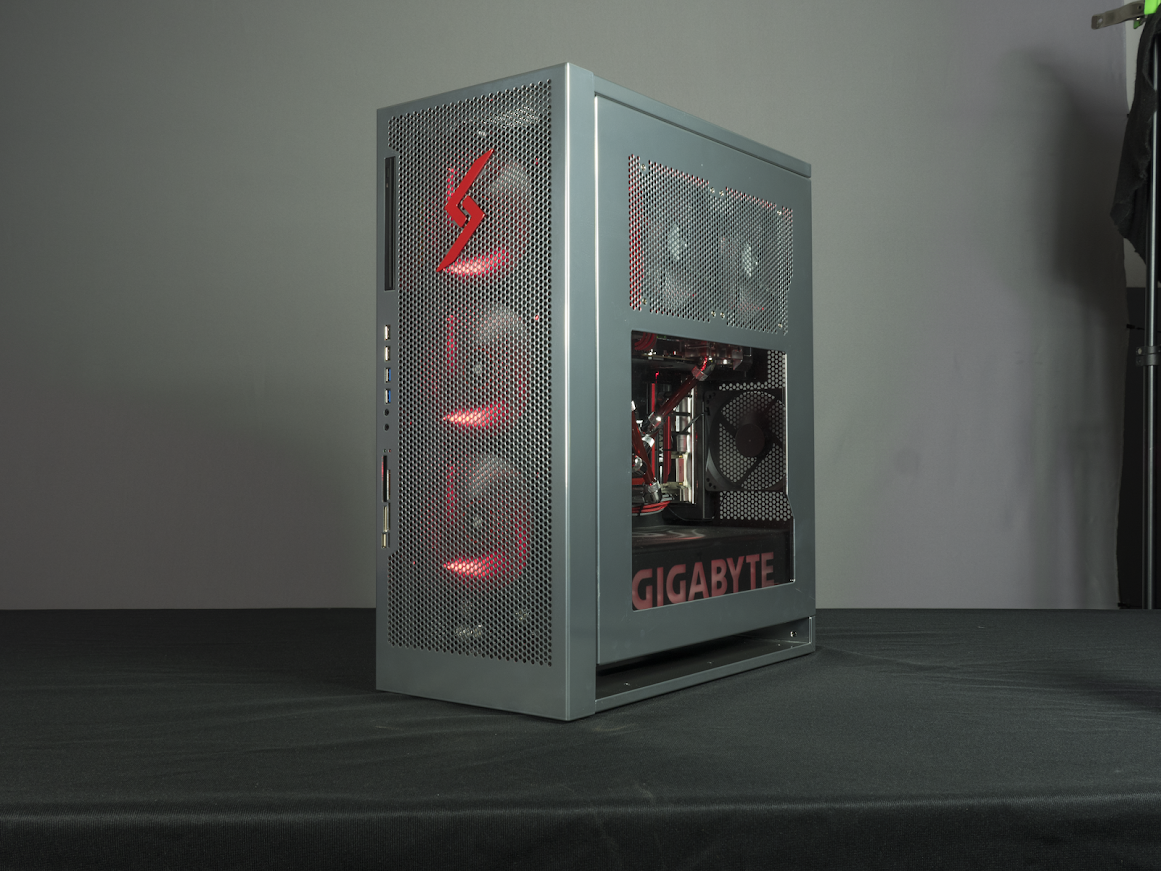
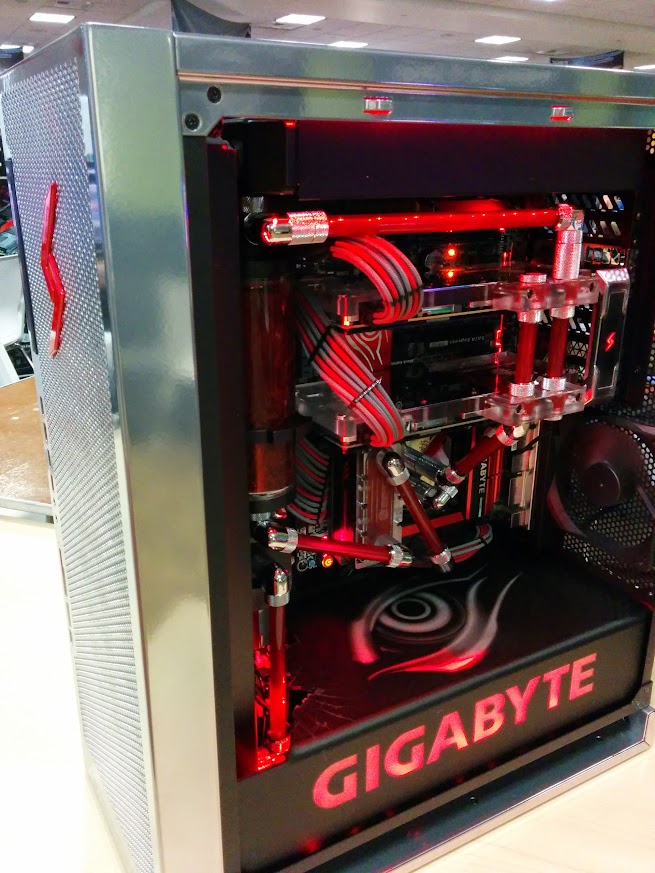
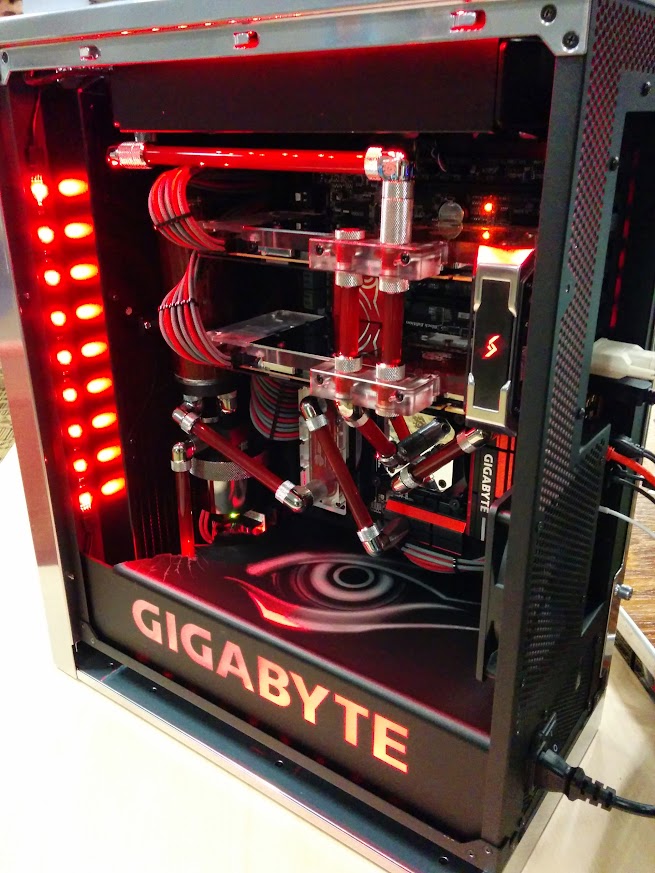
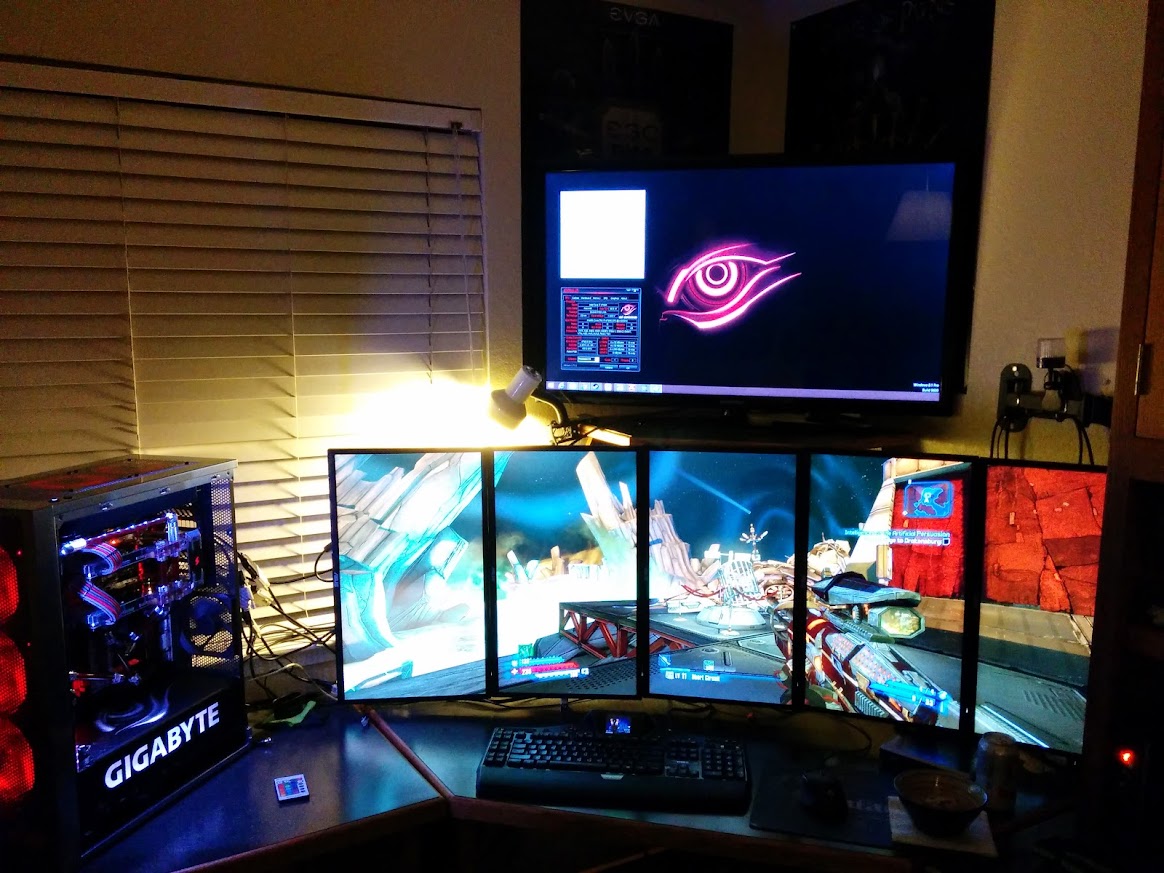
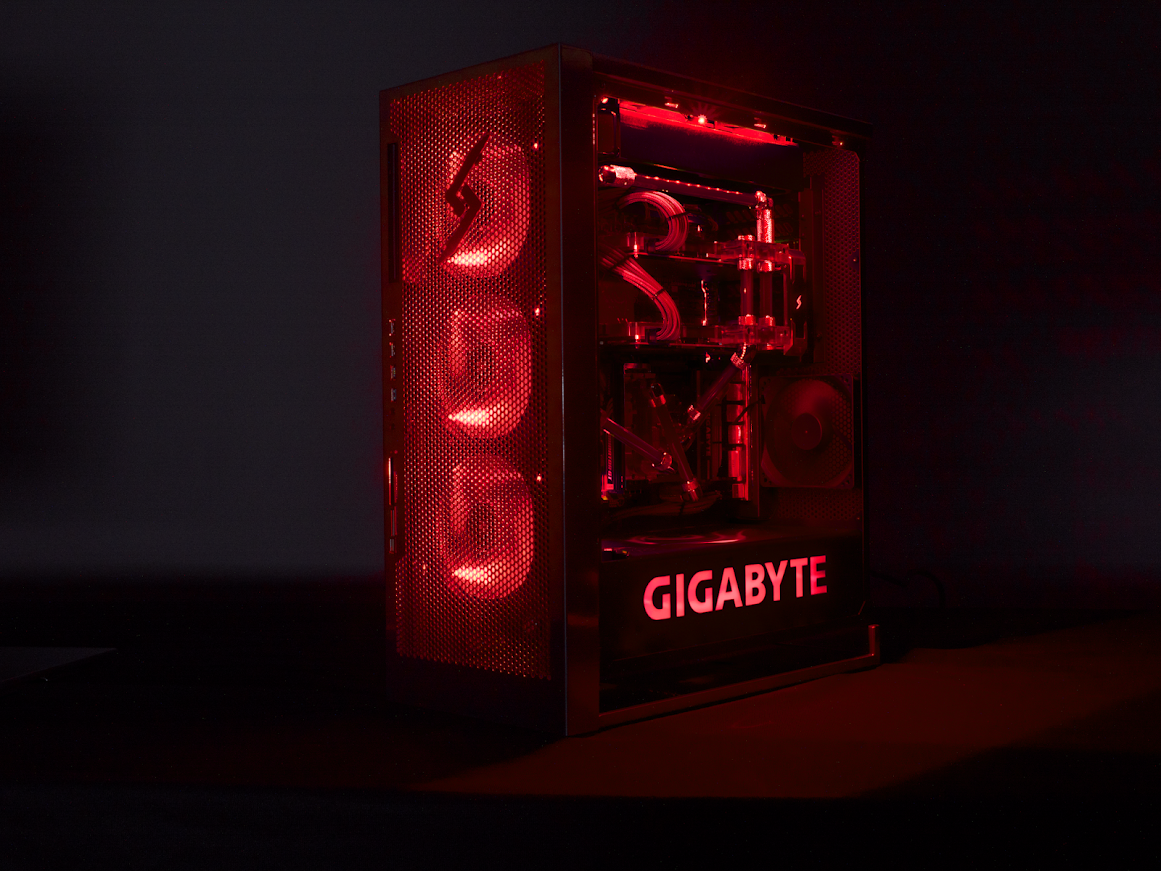
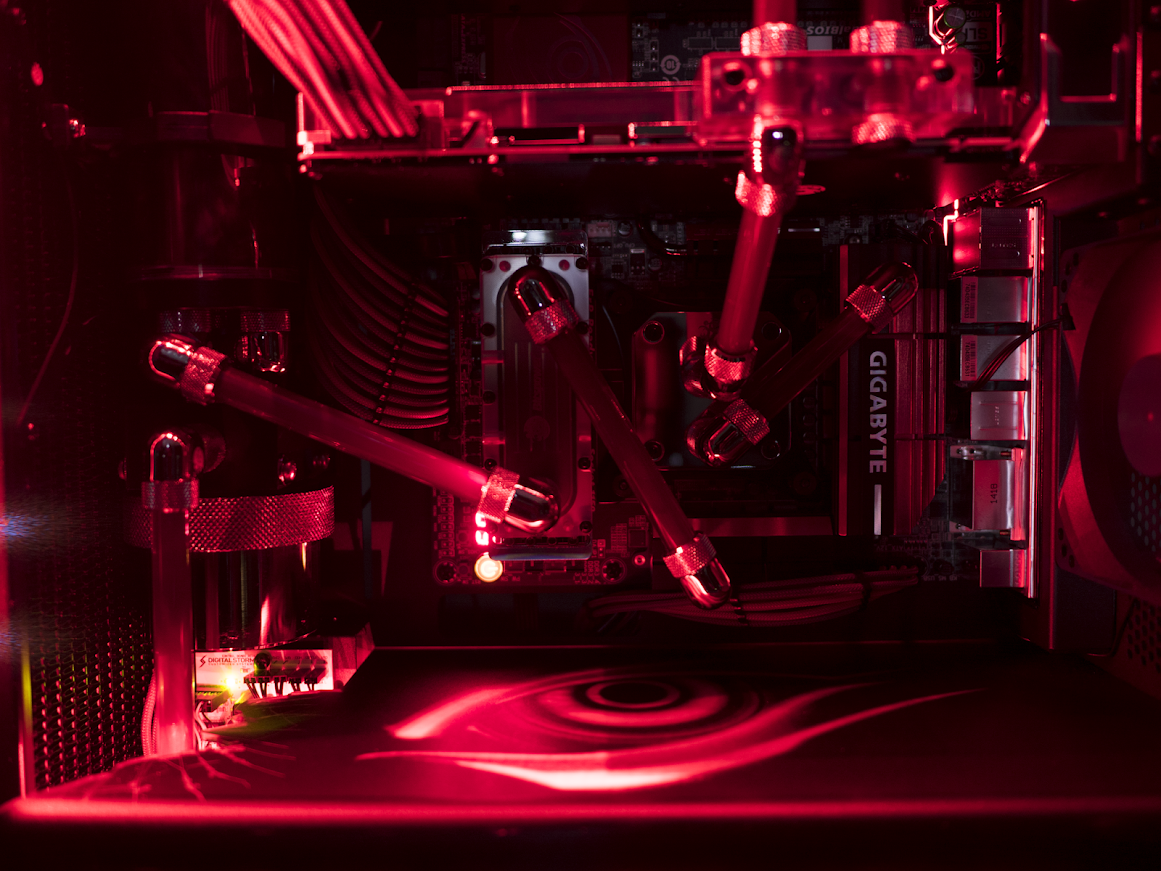
When a person applies himself, the result shows. This can certainly be said for Larry Anderson with his latest case mod featuring a GIGABYTE Z97X-Gaming G1 Wifi Black Edition which gave him the honors of wining the Best of Show Case Mod Contest at LANFest Sacramento Fall 2014.
With the added special touch from Larry, the finished system is simply spectacular! Impressive work!
You can learn all about the build log here : http://forums.evga.com/Terminator-Velox-Project-m2265355.aspx
Here are a few pictures for your pleasure!
Available link for download
Friday, October 7, 2016
Clockwork Recovery Mod CWM for Samsung Galaxy S5
Clockwork Recovery Mod CWM for Samsung Galaxy S5
About Samsung Galaxy S5:
The Samsung Galaxy S 5 is the successor to the popular Galaxy S 4. The 5.1" Super AMOLED display has a resolution of 1080x1920. The Galaxy S 5 is powered by a 2.5 GHz Qualcomm Snapdragon 801 processor with 2GB RAM. Internal storage comes in at either 16GB or 32GB, with a microSD slot up to 128GB. The 16MP camera is capable of 4K video recording and real time HDR photos. Along side the camera flash is a heart rate sensor, which can be used with Samsungs S Health software. The S 5 has a 2800 mah battery provoding power.
What is ClockworkMod Recovery (CWM)
ClockworkMod Recovery (CWM) is a replacement recovery option for Android devices, we may also say that ,
ClockworkMod recovery is a special boot mode that gives access to administrative functions, such as installing the base firmware (ROM), making backups, and performing a factory reset.
Features such as Nandroid backup, adb shell, advanced update.zip are provided in CWM
The Rom Manager app may be used for installing CWM, overwriting the devices stock recovery. As with the stock recovery, CWM can apply software changes to the device. Unlike the stock recovery, CWM is able to entirely replace the devices primary Android operating system ("flashing a new ROM"), including with aftermarket replacements such as CyanogenMod. Once installed, CWM it is accessed by turning your phone off, then triggering the bootloader prompt by holding down some device-dependent button combination as it is turned on.
CWM is also known as clockwork and CW recovery.
CWM is also known as clockwork and CW recovery.
Guide to Install ClockworkMod Recovery (CWM) on Samsung Galaxy S5
Note: THIS WILL VOID YOUR WARRANTY!!! No one but yourself is responsible for what you do to your device. USE AT YOUR OWN RISK!!!
Confirmed working on:
- G900F
- G900T
- G900W8
- G900I
- G900P
Confirmed not working on:
- G900H - exynos
- G900V - locked bootloader
- G900A - locked bootloader
How to install CMW with Odin
- (USB) Disconnect your phone from your computer
- Start Odin3-vX.X.exe
- Click the PDA button, and select recovery.tar.md5
- Put your phone in download mode (turn off phone, then hold VolDown+Home+Power to boot - if it asks you to press a button to continue, press the listed button, or run adb reboot download command)
- (USB) Connect the phone to your computer
- Make sure Repartition is NOT checked
- Click the Start button
- Wait for Android to boot
- Done (if it took you more than 30 seconds, you goofed)
NOTE: Sometimes the device does *not* boot into recovery mode. Just do the entire procedure again if this happens. If it still will not install, make sure that in Odin "Auto Reboot" is not checked. Then after flashing, pull the battery, and boot with VolUp+Home+Power button to boot into recovery manually. This will start the install process.
Download:
Download ODIN software - HERE
Download ClockworkMod Recovery For Galaxy S5 - HERE
Available link for download
Subscribe to:
Posts (Atom)